Start from the Start menu
Browse the Mac apps on this computer. In Winstripe 11, the menu includes Search apps, Pinned, and All apps. Newer menu styles include search; not every theme presents the same layout.
macOS taskbar utility · Open source · MIT License
A Windows-style taskbar for your Mac — from classic 95 to modern 11. Launch Mac apps from a familiar Start menu, pin the shortcuts you use most, and pick a look from 10 era themes.
Winstripe is a desktop utility for macOS. It does not install Windows, and it does not run Windows programs.
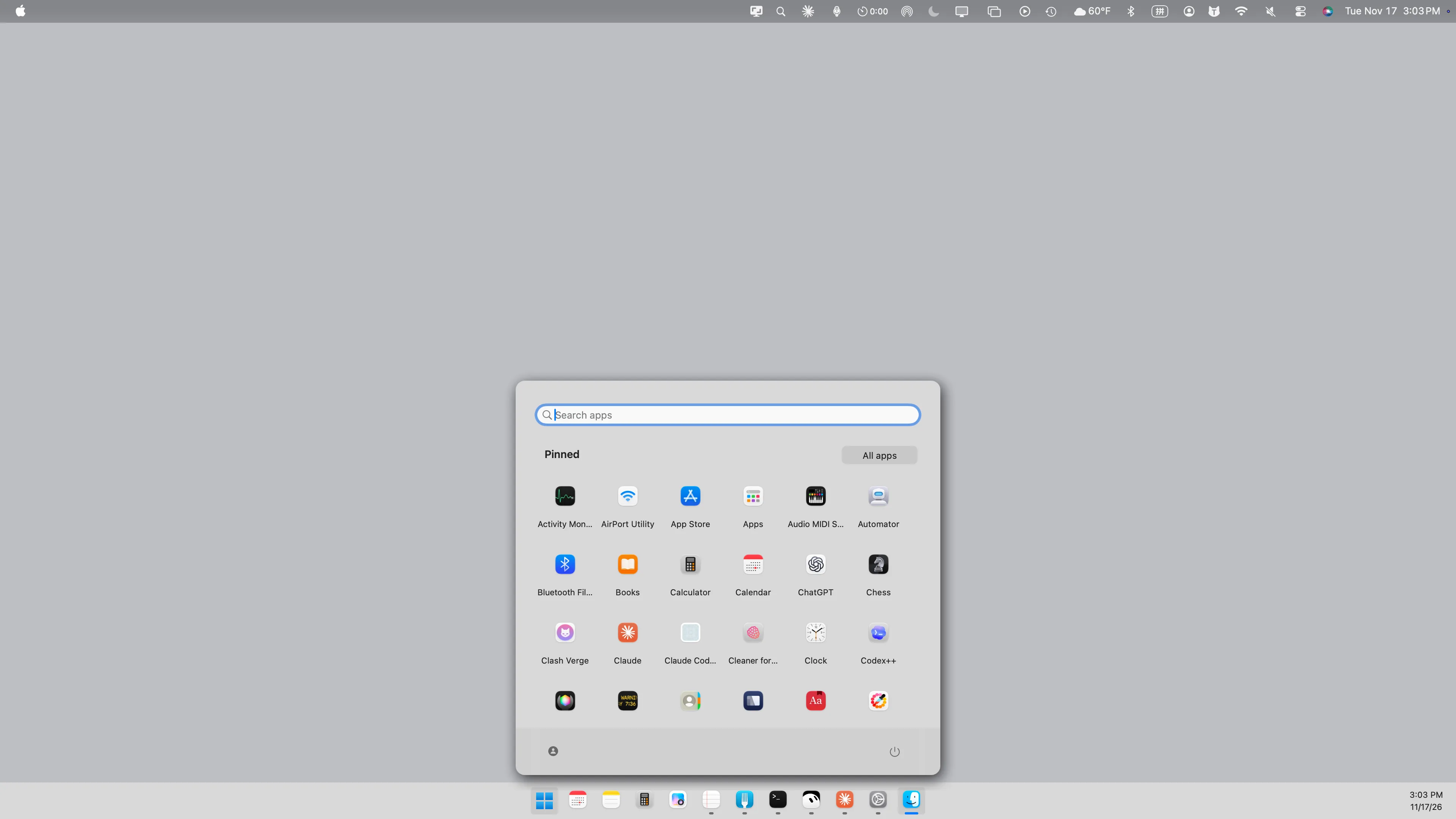
The taskbar stays on a screen edge. From it you open a Start menu of Mac apps, switch among running applications, and keep pinned shortcuts close at hand — without turning your Mac into Windows.
Browse the Mac apps on this computer. In Winstripe 11, the menu includes Search apps, Pinned, and All apps. Newer menu styles include search; not every theme presents the same layout.
Drag Mac apps onto the taskbar and rearrange the buttons to match how you work. This manages app shortcuts; it is not an app store or an installer.
Point Quick Launch at a folder you use often and keep those items on the taskbar. Hide apps or folders in the Start menu and restore them later in settings — hiding an item does not uninstall it, and pinned taskbar apps are not removed automatically.
Three of the ten era themes: Winstripe 7, Winstripe XP, and Winstripe 98. Each picture is cropped tightly around that theme's Start menu and enough of the taskbar so the controls stay readable. The frames are not the same size or scale, and these shots were not all taken in one identical state. These are visual evocations of historic desktop styles, not those Windows operating systems, and on-screen materials differ on macOS. Desktop backgrounds were adjusted for privacy. In the Winstripe 7 and Winstripe XP menus, two running-app rows are covered.
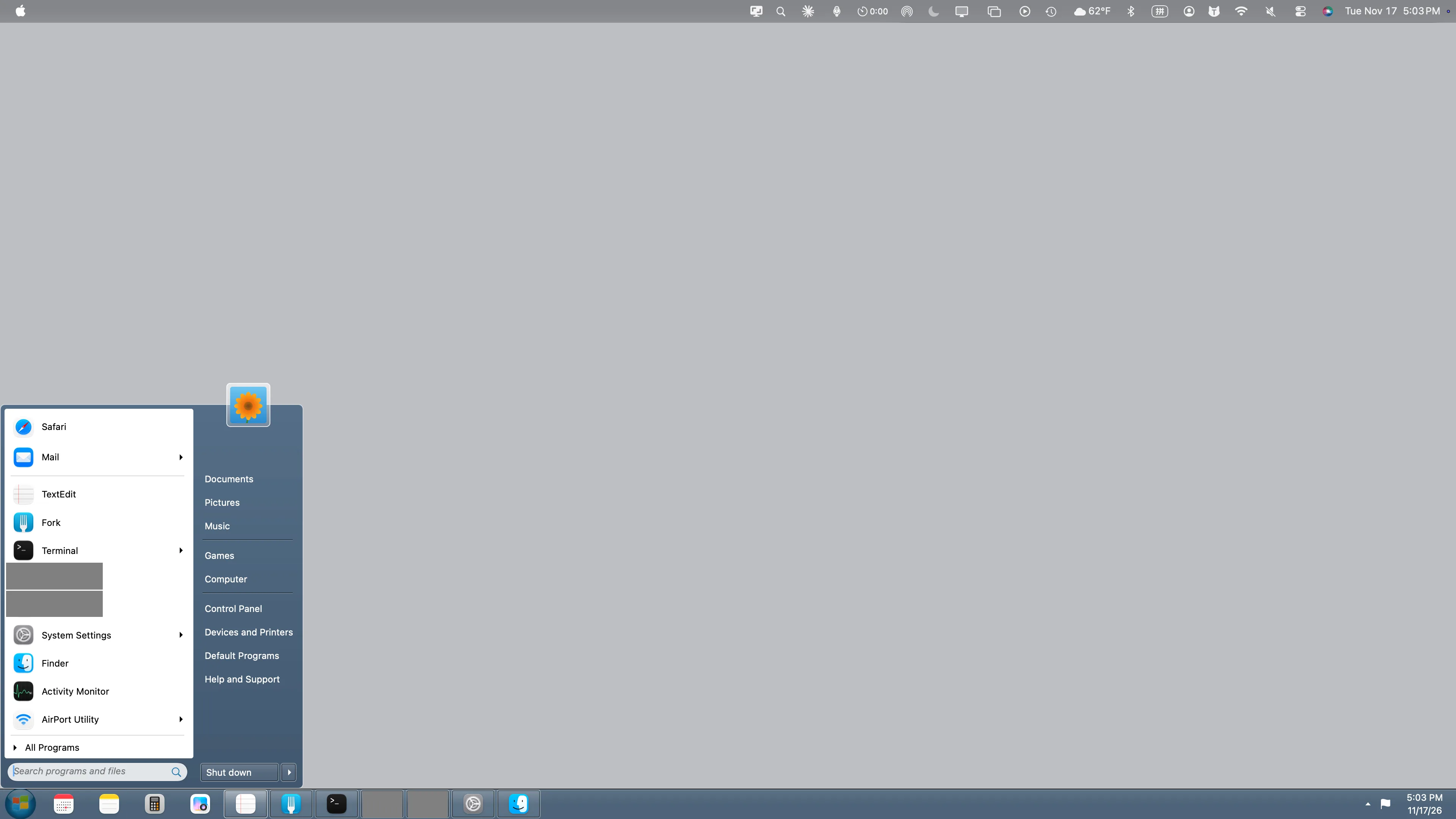
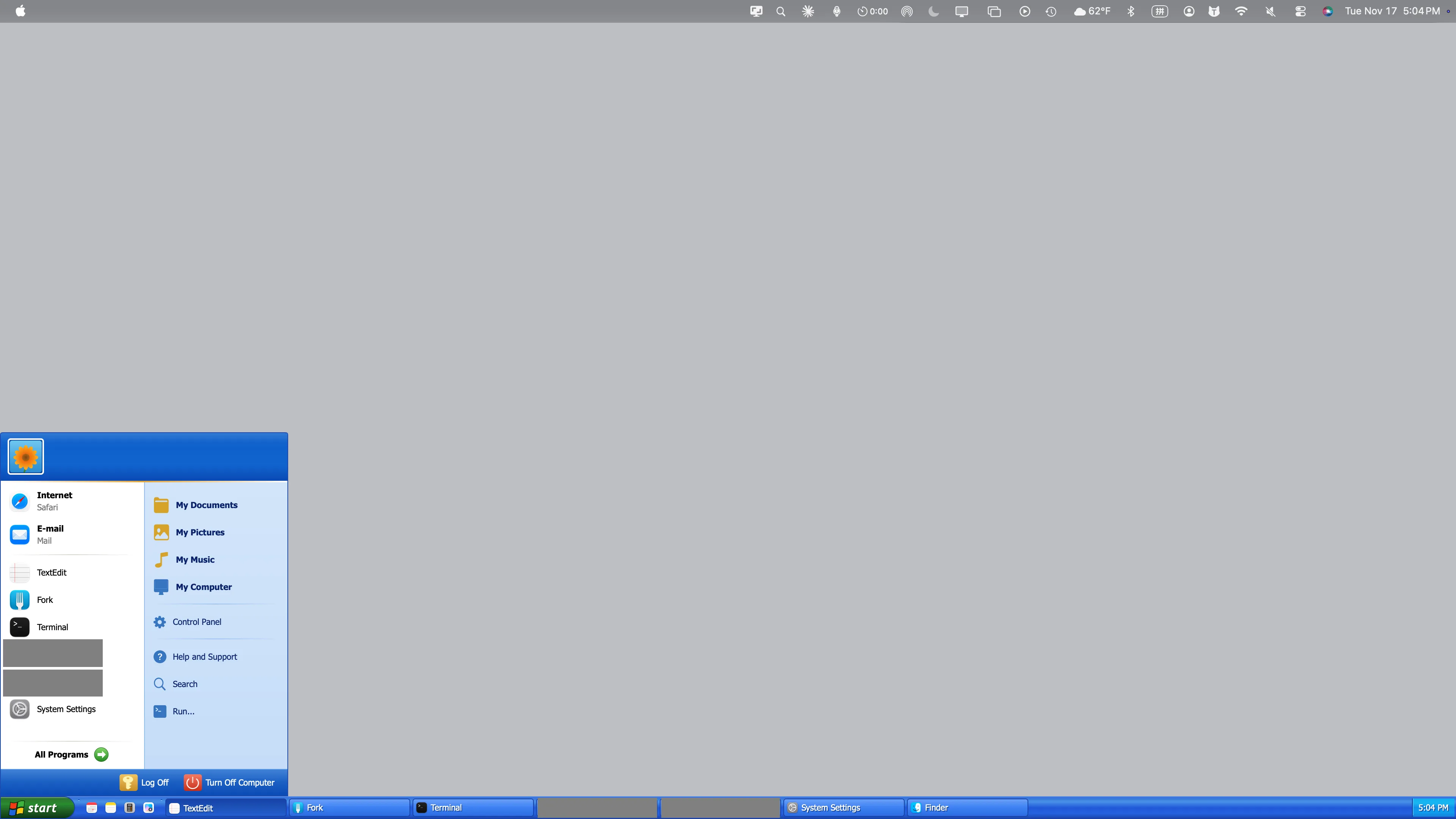
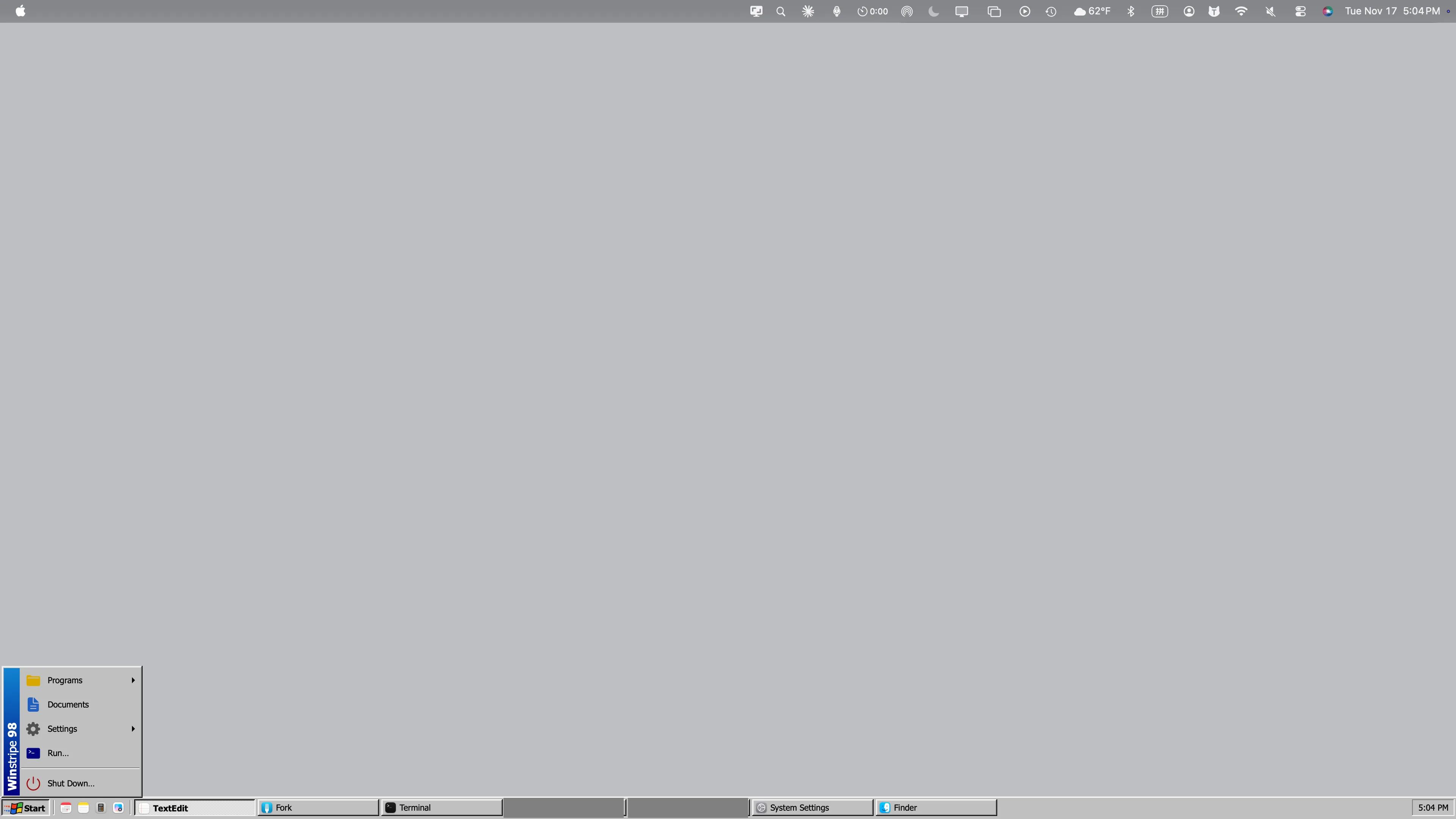
Theme names do not imply Microsoft affiliation or endorsement. Glass-style effects in Winstripe Vista and Winstripe 7 are drawn by Winstripe. Search, alignment, and other layout details are not identical in every theme. The Winstripe 8 Start screen includes color options.
Hover a task button to preview open windows. Live thumbnails require macOS 14 or later and Screen Recording permission. Without that permission, you get a clickable list of window titles instead of a live picture.
This page does not include a live thumbnail screenshot. Screen Recording was not granted when the product photos were taken, and a substitute or mocked preview would not be a real capture.
Accessibility is optional. It enables fuller window handling, such as a task button per window. Basic app launching still works if you leave optional permissions off; the taskbar then shows buttons per application.
Right-click the taskbar to open Winstripe Settings. Under Appearance you can choose a built-in Theme, watch a live preview, and import or export a theme — or open the themes folder.
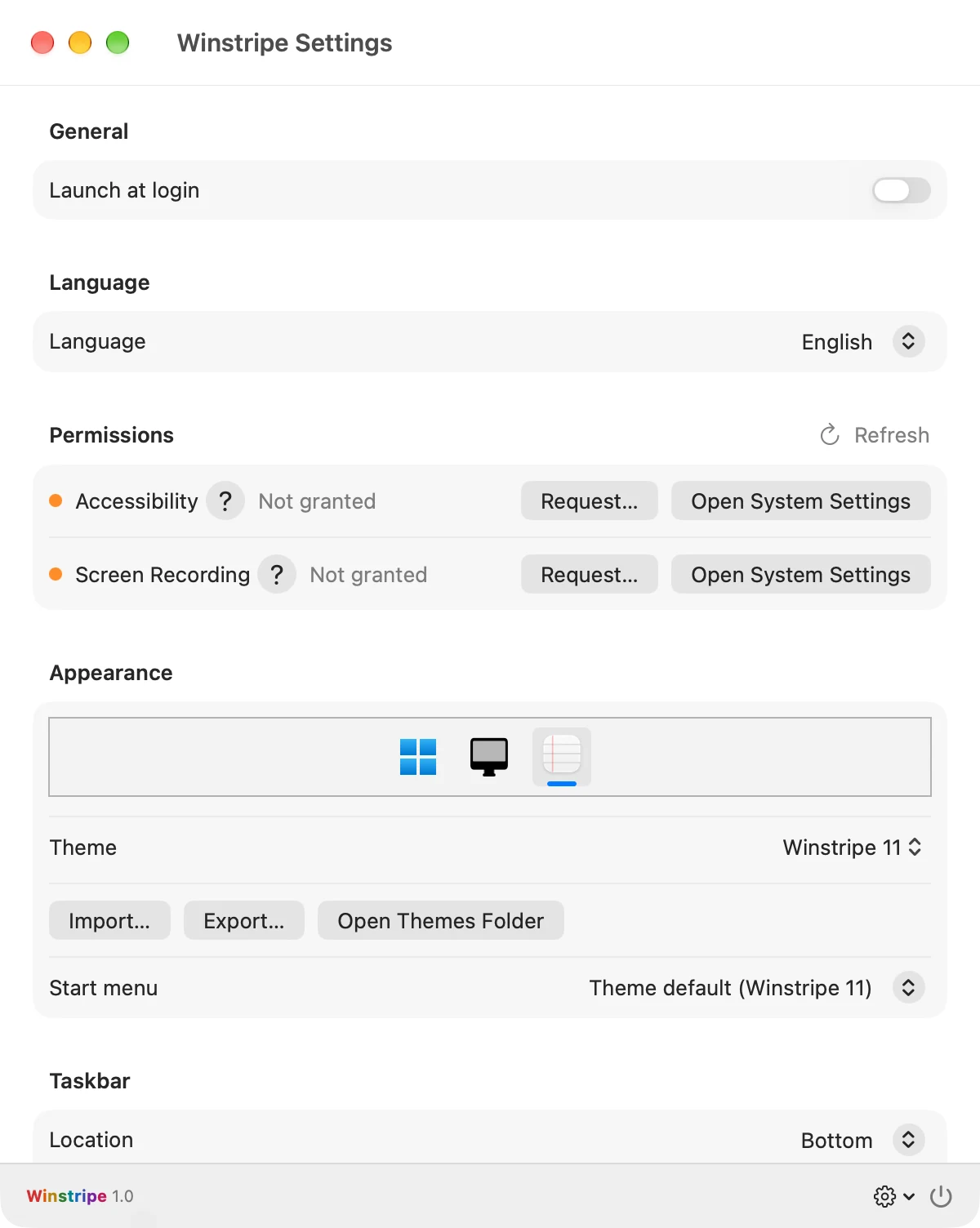
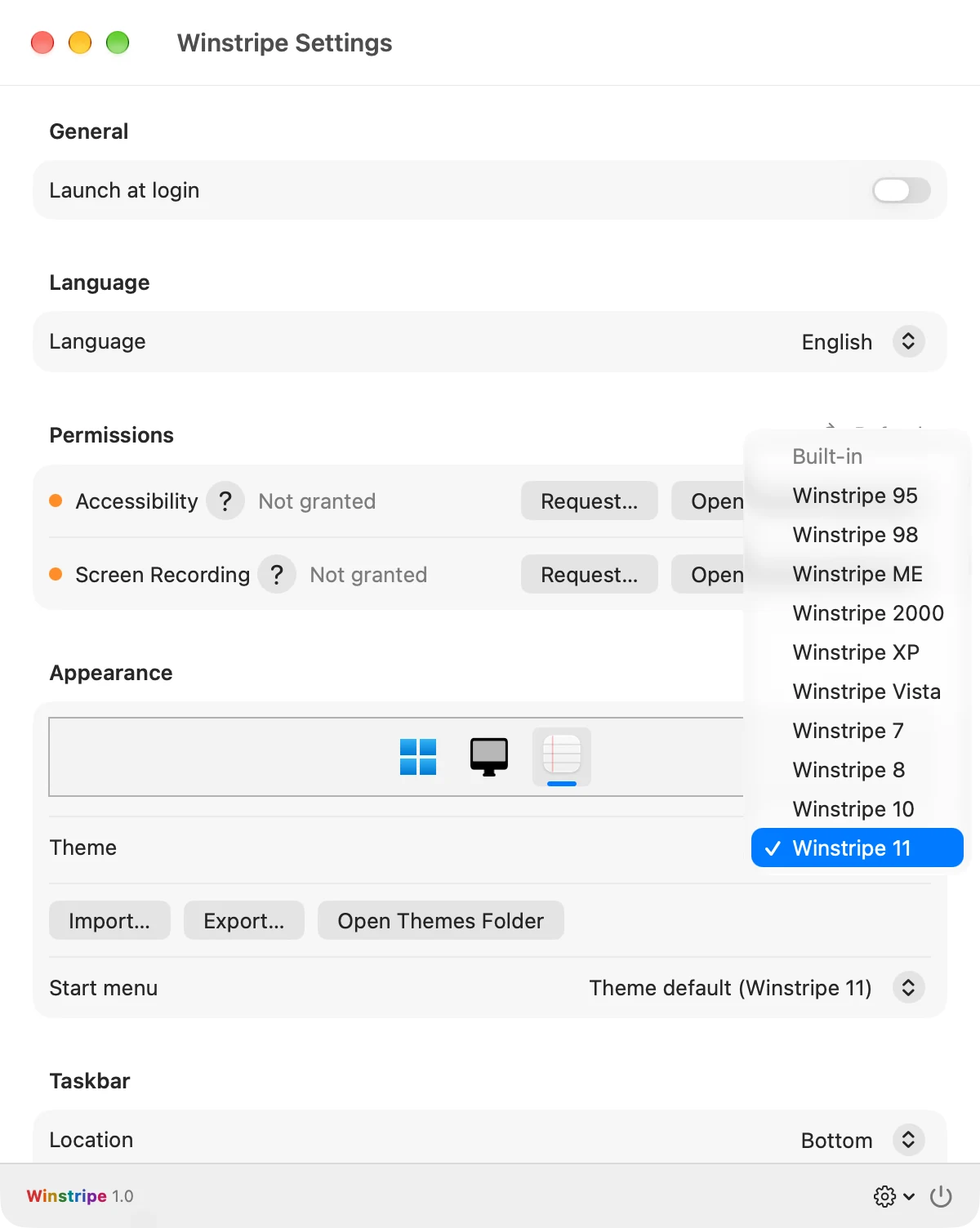
User themes are described in JSON. A theme can inherit a built-in theme and override colors, sizes, fonts, materials, buttons, the Start menu, and preview styles. Import accepts a standalone JSON file, a .rdtheme folder, or a theme zip. Export includes the resolved theme and referenced resources. After a file change, a theme can reload automatically, with fallback if it fails to load. This is not a no-code visual theme designer, and there is no confirmed theme store, cloud sync, or community theme library.
Winstripe is a public open-source macOS taskbar project, hosted on GitHub under the MIT License. You can inspect the implementation, open issues, or contribute. The open-source scope is the content of the public repository.
MIT permits commercial use and other rights when you retain the copyright and license notices and follow the license terms. The software is provided as-is, without warranty. Third-party components, assets, and trademarks follow their own rules. Add-ons from other distributions are not automatically included in this scope.
Winstripe is intended for everyday use on current Macs, with a few capabilities that need a newer system or an optional permission.
The public project is intended for macOS 11 and newer. For any future downloadable build, rely on that release's own notes.
Public builds target Apple Silicon and Intel Macs. That targeting is not the same as verification on every Mac or every system version.
Live window thumbnails require macOS 14 or later and Screen Recording permission. Accessibility is optional and enables fuller window handling, such as a task button per window. Basic app launching still works if you leave optional permissions off.
These behaviors affect how the taskbar shares the screen, how the Dock is handled, and how you quit. They are part of using the app, not fine print.
No. Winstripe gives your Mac a Windows-style taskbar and Start menu. It is not a virtual machine, and it is not a compatibility layer for Windows programs.
The public README lists macOS 11 or later, and the public build scripts target Apple Silicon and Intel Macs. That does not mean every model or system version has been verified. For any future downloadable build, rely on that release's own notes. Live window thumbnails require macOS 14 or later and Screen Recording permission.
No. Both permissions are optional. Accessibility is used for fuller window handling, such as showing a task button per window, restoring minimized windows, bringing windows forward reliably, and closing windows from the menu. Screen Recording is used for live thumbnails and related preview features. If you leave them off, Winstripe still provides basic app launching, but those features are limited: the taskbar shows buttons per application, and previews use a clickable list of window titles instead of a live picture.
If the Dock is at the bottom of the screen, Winstripe turns on Dock auto-hide and restarts the Dock each time it launches. That auto-hide setting remains after you quit, so you need to turn it off yourself in macOS Dock settings if you want the previous behavior. If the Dock is on the left or right, Winstripe does not make this change.
Right-click the taskbar to open settings. Winstripe does not have its own Dock icon or menu bar extra. To quit, use Shut Down... in the Start menu. This only quits Winstripe; it does not shut down your Mac.
Yes. Winstripe includes 10 built-in themes, and you can import and export user themes. Deeper customization is done by editing JSON theme files.
The public project keeps an extension interface for collections, but it does not provide a source of collection items. You should not expect a built-in online app library by default.
Yes. The public project is open source under the MIT License at https://github.com/iBoysoft/Winstripe. MIT permits commercial use and other rights when you retain the copyright and license notices and follow the license terms. The software is provided as-is, without warranty. Third-party components, assets, and trademarks follow their own rules. Add-ons from other distributions are not automatically included in this open-source scope.
Yes. The official Mac download is available on this page, or directly from https://download.iboysoft.com/download/winstripe-1.0.0.zip.